

Make a donation through Ideali
Support a cause in just a few steps. Learn how to make a donation and make an impact.
Step 1: Select Your Donation Amount
Visit the campaign page you would like to support. You will see the campaign’s fundraising goal, progress so far, and a short description explaining the cause.
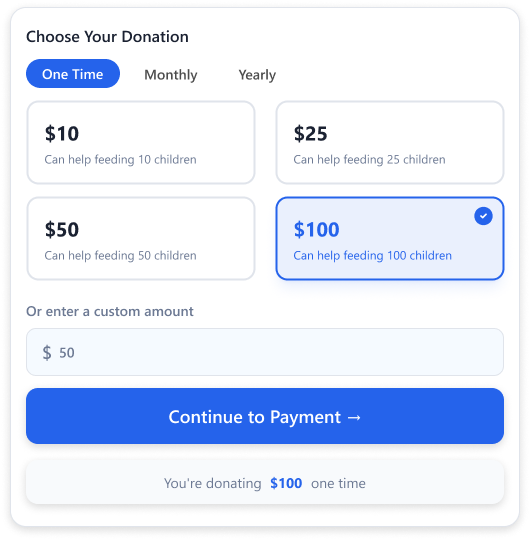
Under Choose Your Donation, select your giving frequency:
- One Time — A single contribution.
- Weekly — A recurring contribution charged every week.
- Monthly — A recurring contribution charged every month.
- Yearly — A recurring contribution charged once a year.
Choose one of the preset amounts shown, or enter a custom amount of your choice. Once you have selected an amount, click Continue to Payment to move to the next step.
Step 2: Choose Your Payment Method
Depending on what the organization has enabled, you may be able to pay using one of the following methods:
- Debit and Credit Card — The most common payment method, available to donors worldwide.
- Apple Pay / Google Pay — Pay in just a tap with the cards saved in your digital wallet, without typing any card details. The button appears automatically if your device or browser supports it.
- ACH USD — A bank to bank transfer available to donors with a US bank account. This option is often used for larger donations.
- PAD CAD — A Pre-Authorized Debit from a Canadian bank account. You authorize the payment once, and the donation is drawn directly from your account. This makes it a convenient option for recurring donations.
- Check or Cheque — A traditional payment option for donors who prefer to send a physical check rather than pay digitally.
📹 Watch: Donate Using Credit Cards ⏱ 1m 26s
📹 Watch: Donate using ACH USD ⏱ 1m 4s
Not every campaign will offer all of these options, as the organization chooses which payment methods to enable.
Step 3: Enter Your Payment Details
Enter your payment information based on the method you selected to complete your donation. If you pay by PAD, you will also be asked to accept a debit authorization, and your donation may take a few business days to clear.
Optional Tip to Support Ideali
Before completing your payment, you may see an option to leave an additional tip to help support Ideali’s platform. This tip is completely optional and you can adjust the amount, choose a different percentage, or skip it entirely. Learn more about the optional tip.
Completing Your Donation
Once your payment details are entered, confirm your donation to complete the transaction. You will receive a receipt by email confirming your contribution, along with a summary of the amount donated and the campaign it supported.
Optional donor tips
Donors can optionally add a small tip to support the Ideali platform when making a contribution. Learn how the tip works and how it is kept separate from your campaign funds.
When donors make a contribution through your campaign they are given the option to leave an additional tip to help support the Ideali platform. This tip is completely optional and donors can choose to include it, adjust the amount, or skip it entirely.
How It Works
On the donation summary screen donors will see a section called Help keep our platform free for charities. This is Ideali’s way of sustaining its free platform for nonprofits without charging organizations directly.
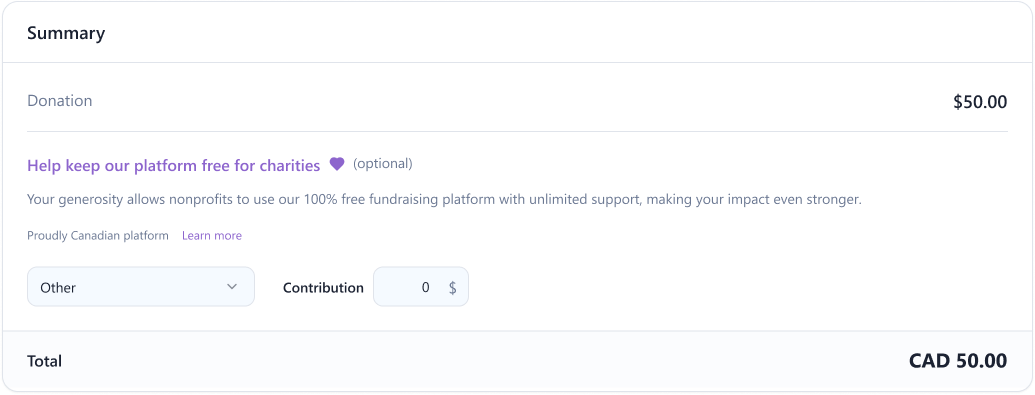
Donors can choose a tip percentage from the following options:
- 5% of their donation amount
- 10% of their donation amount
- 15% of their donation amount
- Other — donors can enter a custom tip amount
The selected tip is added to the total and shown clearly in the summary before the donor confirms their payment. Donors can also select Other and enter zero if they prefer not to leave a tip.
Does the Tip Affect Your Campaign Funds?
No. Donor tips go directly to Ideali and are separate from the donation amount that goes to your campaign. Your fundraising total only reflects the actual donation amount, not the tip.
Make a recurring donation
Give consistent support to a cause you care about. Learn how to set up a monthly or yearly recurring donation.
When you choose to give on a recurring basis, Ideali makes it easy to set up, view, and manage your ongoing contribution at any time.
Setting Up a Recurring Donation
On the campaign page you would like to support, go to Choose Your Donation and select either Monthly or Yearly instead of One Time. Choose one of the preset amounts shown or enter a custom amount, then click Continue to Payment and complete your payment details as you would for any other donation. Learn more about making a donation.
Once confirmed, your card or bank account will be automatically charged the same amount on the frequency you selected, and you will receive a receipt by email each time a payment is processed.
Viewing Your Recurring Donation
Every receipt you receive includes the details of your donation, including the campaign, amount, and frequency. You can refer to these emails at any time to confirm your recurring contribution is active and being processed as expected.
Your donation receipt
Every donation comes with a receipt confirming your contribution. Learn what information is included.
After completing a donation, you will receive a receipt by email confirming your contribution. You can refer to this receipt at any time as proof of your donation, for tax purposes, or to keep a record of your giving.
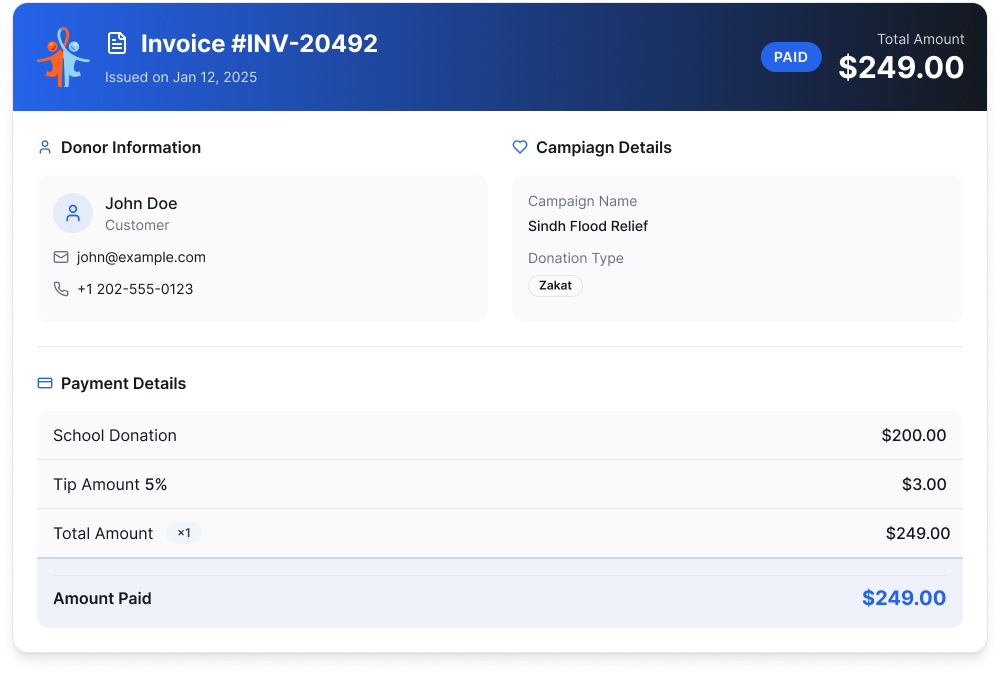
What’s Included in Your Receipt
Your receipt includes the following details:
- Receipt Number — A unique number assigned to your transaction.
- Date Issued — The date your donation was processed.
- Status — Confirms your payment was successfully completed.
- Total Amount — The full amount charged, including any tip if you chose to add one.
- Donor Information — Your name, email, and phone number as provided during checkout.
- Campaign Details — The name of the campaign you supported and the payment type.
- Payment Breakdown — A breakdown of your donation amount, any optional tip, and the total amount paid along with the payment method used.
Downloading Your Receipt
Click Download PDF in the top right corner of your receipt to save a copy for your records.
Did Not Receive Your Receipt?
If you completed a donation but did not receive a receipt by email, check your spam or junk folder first. If you still cannot find it, reach out to the organization you donated to directly and they can resend your receipt.
How to Register for a Membership
Organizations use Ideali to offer memberships to their supporters. This [...]
Organizations use Ideali to offer memberships to their supporters. This guide walks you through joining a membership, from reviewing the plan to completing your payment. It only takes a few minutes.
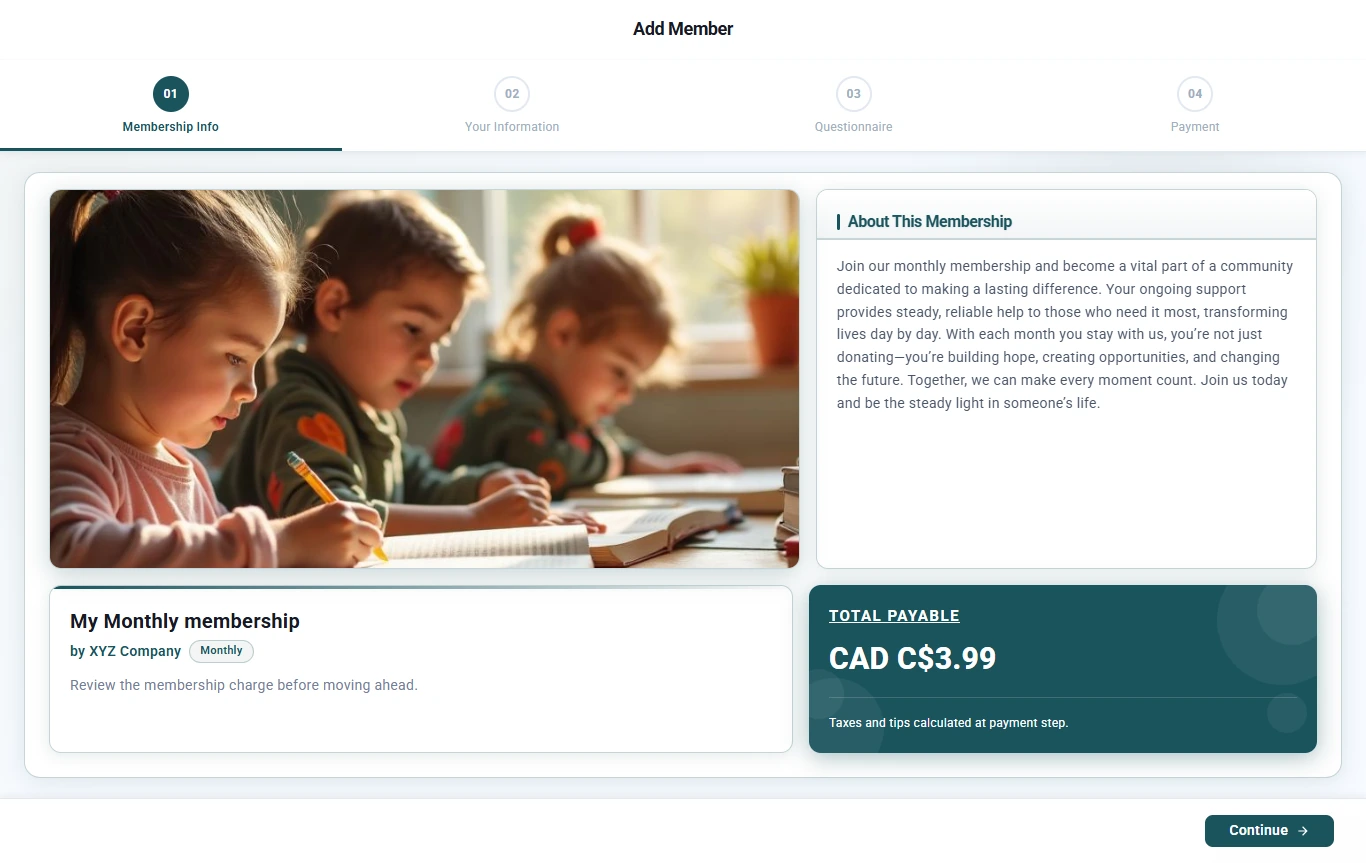
You can start registration from a link, a QR code, or a sign-up form on the organization’s own website. Wherever you start, the registration form has four steps:
- Membership Info
- Your Information
- Questionnaire
- Payment
Step 1: Review the Membership Info
Check the details of the membership before you continue:
- Membership name and organization: the plan you are joining and who offers it.
- Billing frequency: how often you will be charged, for example monthly.
- About This Membership: what the membership includes and what your support goes toward.
- Total Payable: the membership price. Any taxes and optional tips are added at the payment step.
Click Continue when you are ready.
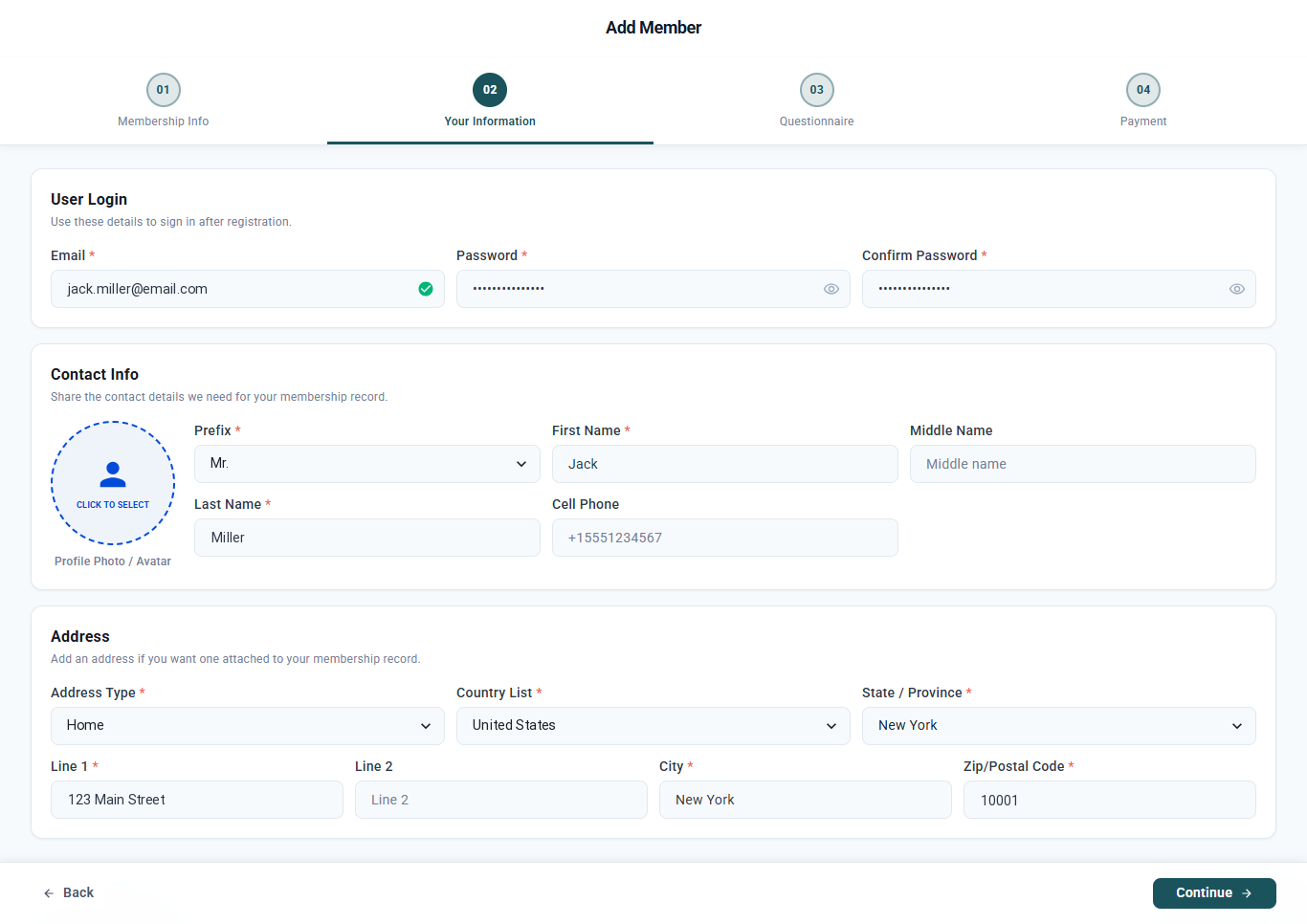
Step 2: Enter Your Information
Fill in your details. Fields marked with a red asterisk (*) are required.
- User Login: enter your email address and create a password. You will use these to sign in after you register.
- Contact Info: choose a prefix and enter your first and last name. Your middle name, cell phone number, and profile photo are optional.
- Address: choose an address type, then enter your country, state or province, street address, city, and zip or postal code.
Click Continue.
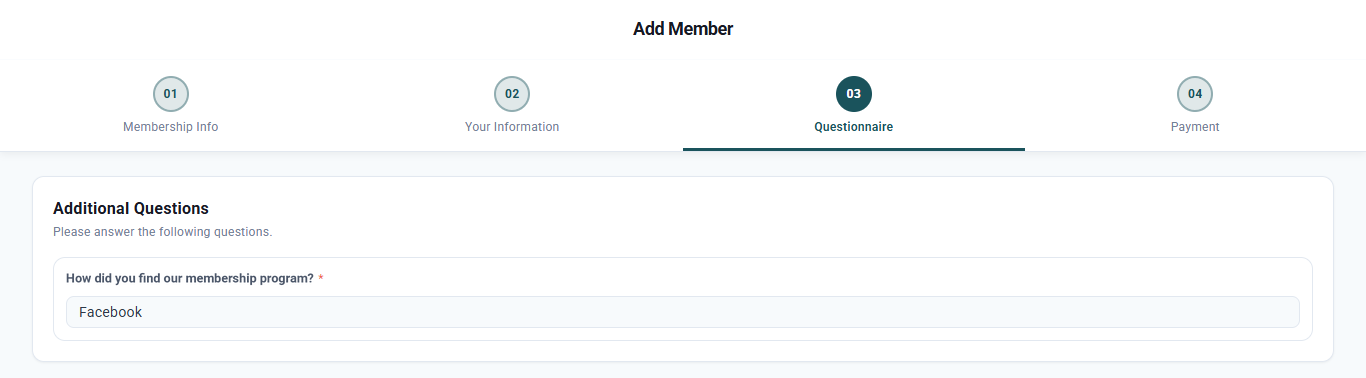
Step 3: Answer the Questionnaire
Answer any questions the organization has added to its sign-up form. The questions are different for each organization, and required questions are marked with a red asterisk.
Click Continue.
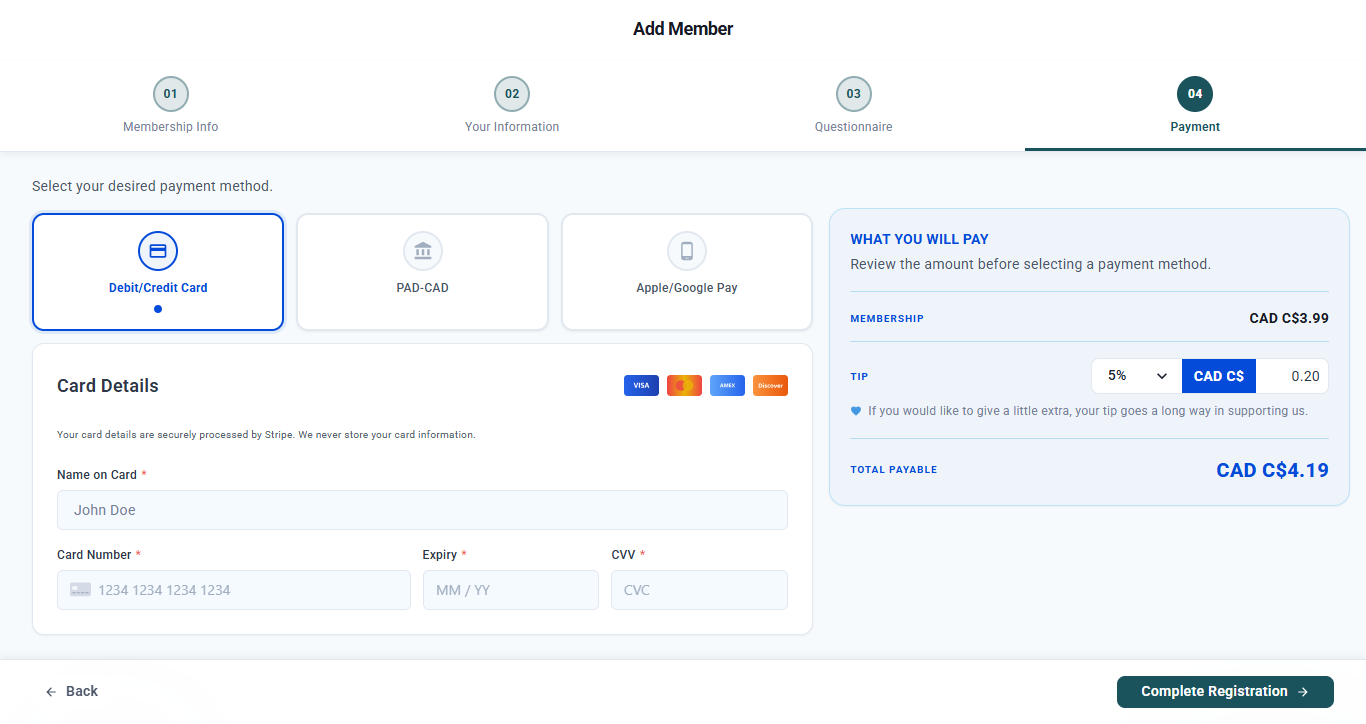
Step 4: Complete Your Payment
- Choose how you want to pay. The options you see depend on the organization and currency, and can include:
- Debit/Credit Card: Visa, Mastercard, American Express, or Discover.
- Bank payment: pay directly from your bank account. For Canadian dollar memberships this appears as PAD-CAD (pre-authorized debit).
- Apple/Google Pay: available on supported devices and browsers.
- Enter your payment details. Payments are processed securely by Stripe, and your card details are never stored by Ideali.
- Review What You Will Pay on the right. You can add an optional tip using the tip selector. Tips help keep Ideali free for the organizations that use it.
- Check the Total Payable, then click Complete Registration.
After You Register
- Confirmation and receipt: you will receive a receipt by email for your payment.
- Approval: some organizations review new members before activating them. If so, your membership will be active once the organization approves it.
- Renewals: recurring memberships renew automatically at the end of each billing period, so you don’t need to sign up again.
- Your account: sign in any time with the email and password you created in Step 2.
Need Help?
For questions about the membership itself, such as benefits, changes, or cancellations, contact the organization that offers it.
Using the Member Portal
When you join a membership, you also get an account [...]
When you join a membership, you also get an account on the organization’s member portal. The portal is where you can check your membership, see your payment history, and find documents the organization has shared with you.
The member portal shows the organization’s own name and logo, so it looks like part of their website, not Ideali.
Your Member Portal Account
You create your portal account when you register for a membership. In the Your Information step, the email and password you enter become your portal login.
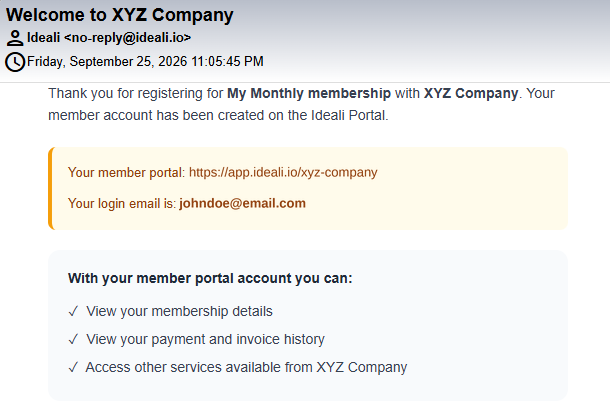
After you register, you will receive a welcome email from Ideali <no-reply@ideali.io> with the subject Welcome to [Organization Name]. It includes:
- The link to your member portal
- The email address you use to sign in
Save the email or bookmark the portal link so you can find it again easily.
Your Portal Link
Each organization has its own portal link, which uses the organization’s slug. For example:
https://app.ideali.io/xyz-company
This is the same slug that appears in the organization’s membership sign-up links.
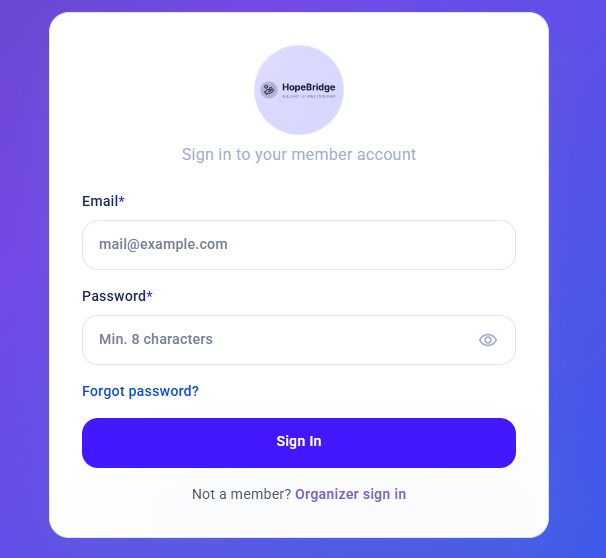
Sign In to the Portal
- Open the portal link from your welcome email.
- Enter your Email and Password.
- Click Sign In.
If you forget your password, click Forgot password? on the sign-in page to reset it.
What You Can Do in the Portal
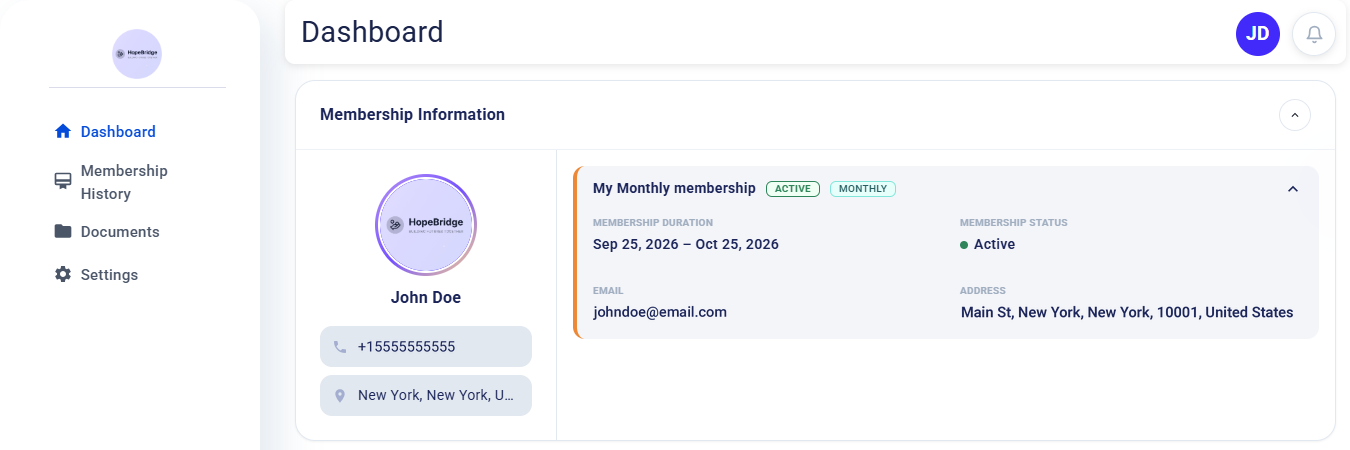
Dashboard
The dashboard shows your membership at a glance:
- Your membership name, status (for example, Active), and billing frequency
- The current membership period, for example Sep 25, 2026 – Oct 25, 2026
- The email and address on your membership record
Membership History
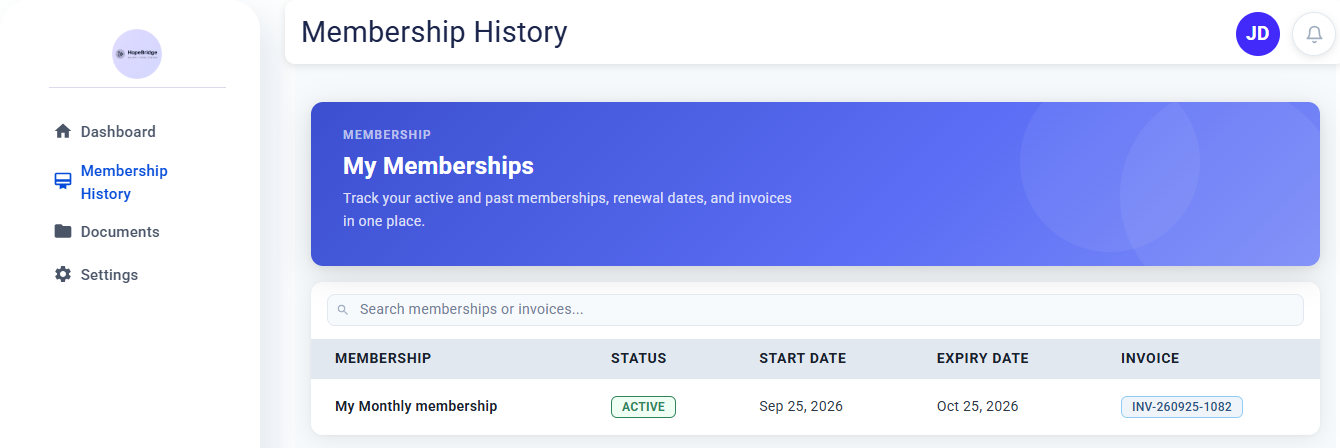
View your active and past memberships, including start dates, expiry dates, and invoice numbers. Use the search bar to find a specific membership or invoice.
Documents
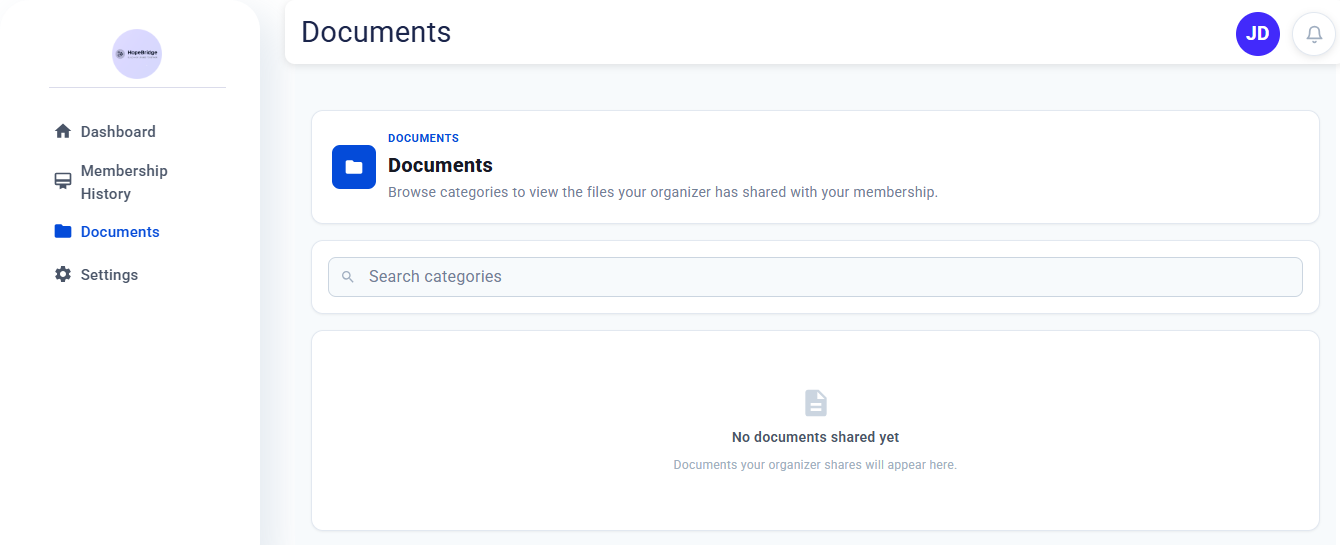
Find files the organization has shared with its members, such as guides, newsletters, or forms. Documents are grouped into categories, and you can search by category name. If the organization hasn’t shared anything yet, this page will be empty.
Settings
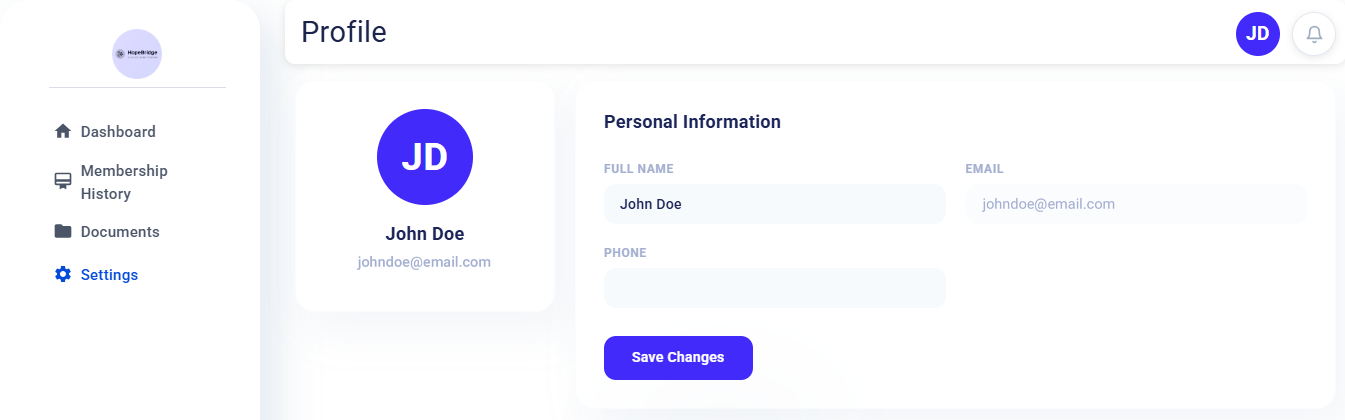
Update your full name and phone number, then click Save Changes. Your email address is your login, so it can’t be changed here.
Changing or Cancelling Your Membership
You can’t cancel or change your membership from the portal at the moment. To make changes, contact the organization directly.
For Organizations
Every member who registers gets a portal account automatically, so there is nothing extra to set up. A few things help your members get the most from it:
- Add your logo: your portal uses your organization’s name and logo. Click Set up the logo at the top of your Organizer Dashboard if you haven’t added one yet.
- Share the portal link: on the Membership Types page, click Login URL to get your portal link. Add it to your website, newsletters, and member emails so members can always find it.
- Share documents: files you share with members appear on the Documents page of their portal.
Your portal link uses the same organization slug as your membership sign-up links. To learn more, see our article on sharing membership types.